
This tutorial will teach you how to add Date Input Validation with Regex in Laravel Projects. Let’s do it step by step.
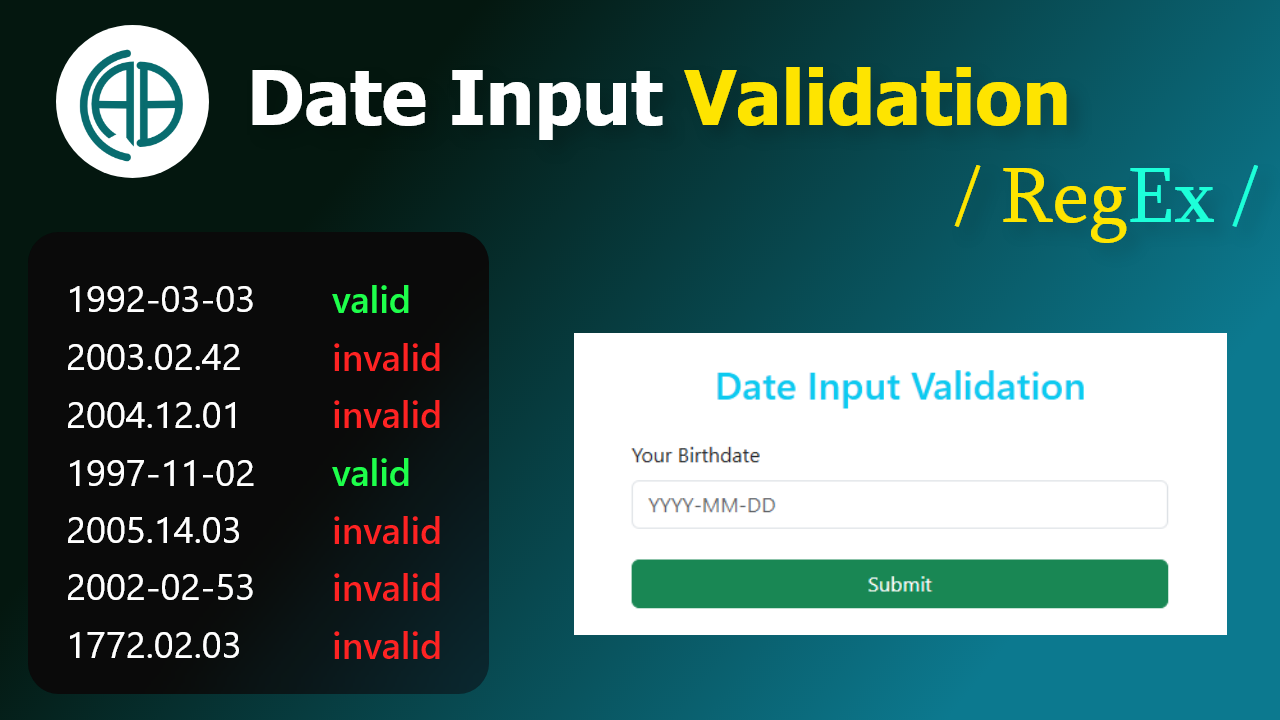
- Create date-input-validation.blade.php file
- Add Bootstrap CDN
- Add Form Container
- Add form with Validation
- Add form validation script.
- Create a route.
- Add Regex date-input-validation to form input.
- Add database to .env file.
- Craete DateInput Table and Model.
- Craete birthday column to Table.
- Create Model.
- Migrate the Table.
- Create DateInput Controller.
- Add saveBirthday route.
- Add saveBirthday function.
- Add success message.
Go to your project file location, and type cmd in the address bar to open the location in the Command Prompt. Then create a new project using following command.
Create a new project
composer create-project laravel/laravel:^10.0 date-input-validation
date-input-validation.blade.php
<section class="min-vh-100 d-flex flex-column align-items-center justify-content-center py-4">
      <div class="container-fluid ">
        <div class="row justify-content-md-center">
            <div class="col-md-10 ">
                <div class="card px-5 py-3 mt-3 shadow">
<h1 class="text-info text-center mt-2 mb-4">Date Input Validation </h1>
                </div>
            </div>
        </div>
    </div>
    </section>
date-input-validation.blade.php
<form action="" class="needs-validation" method="POST" novalidate>
                            @csrf
                            <div class="mb-2">
                                <label for="birthday" class="form-label">Your Birthdate</label>
                                <input type="text" class="form-control" name="birthday" id="birthday"
                                    placeholder="YYYY-MM-DD" required>

                                <div class="invalid-feedback">
                                    Please enter a valid date in YYYY-MM-DD format.
                                </div>
                            </div>
                            <button type="submit" class="btn btn-primary">Submit</button>
                        </form>
date-input-validation.blade.php
<script>
        (function() {
            'use strict'
            var forms = document.querySelectorAll('.needs-validation')
            Array.prototype.slice.call(forms)
                .forEach(function(form) {
                    form.addEventListener('submit', function(event) {
                        if (!form.checkValidity()) {
                            event.preventDefault()
                            event.stopPropagation()
                        }

                        form.classList.add('was-validated')
                    }, false)
                })
        })()


        document.addEventListener('DOMContentLoaded', function () {
    const birthdayInput = document.getElementById('birthday');

    birthdayInput.addEventListener('input', function (e) {
        let value = this.value.replace(/\D/g, '');
        if (value.length >= 4 && value.length <= 6) {
            value = value.replace(/(\d{4})(\d{0,2})/, '$1-$2');
        }
        if (value.length >= 7) {
            value = value.replace(/(\d{4})(\d{2})(\d{0,2})/, '$1-$2-$3');
        }
        this.value = value;
    });
});

    </script>
Web.php
Route::get('/', function () {
    return view('date-input-validation');
});
date-input-validation.blade.php
pattern="^(19|20)\d{2}-(0[1-9]|1[0-2])-(0[1-9]|[12][0-9]|3[01])$"
.env
DB_CONNECTION=mysql
DB_HOST=127.0.0.1
DB_PORT=3306
DB_DATABASE=date_input_validation_db
DB_USERNAME=root
DB_PASSWORD=
php artisan make:model DateInputValidation -m
date_input_validations Table
$table->string('birthday');
DateInputValidation Model
protected $table = 'date_input_validations';
    protected $primarykey = 'id';
    protected $fillable = ['birthday'];
php artisan migrate
php artisan make:controller DateInputController
web.php
use App\Http\Controllers\DateInputController;

Route::post('/saveBirthday',[DateInputController::class,'saveBirthday'])->name('saveBirthday');
DateInputController
      use App\Models\DateInputValidation;
use Illuminate\Support\Facades\Validator;


      public function saveBirthday(Request $request)
    {
        $validator = Validator::make($request->all(), [
            'birthday' => 'required|string',
        ]);

        if ($validator->fails()) {
            return redirect()->back()->withErrors($validator)->withInput();
        }

        $dateInputValidation = new DateInputValidation([
            'birthday' => $request->input('birthday'),
        ]);


        $dateInputValidation->save();

        return redirect()->back()->with('success', 'Bbirthday added successful.');
    }
date-input-validation.blade.php
@if (Session::has('success'))
    <div class="alert alert-success" role="alert">
        {{ Session::get('success') }}
    </div>
    @endif
Break Down of the Regex Validation Pattern
- "^" - This is the start anchor. It ensure that there have no any other characters before this pattern
- "(19|20)" - The year must start with either "19" (for the year in the 1900s) or "20" (for years in the 2000s).
- "\d{2}" - After "19" or "20", two more digits must follow, representing the last two digits of the year (e.g., "1999", "2023").
- "-" - This is the literal dash (-) separating the year from the month.
- "(0[1-9]|1[0-2])" - This part ensures the month is a valid two-digit number from "01" to "12": 0[1-9] matches months from "01" to "09". 1[0-2] matches months from "10" to "12".
- "-" - Another literal dash separating the month from the day.
- "(0[1-9]|[12][0-9]|3[01])" - This ensures the day is valid: 0[1-9] matches days from "01" to "09". [12][0-9] matches days from "10" to "29". 3[01] matches days "30" and "31" (although this doesn't account for months with fewer days).
- "$" - This is the end anchor. It ensure that there have no any other additional characters after the pattern.